Choosing a font sounds simple until you are staring at hundreds of options and none of them feels right. A typeface can make a brand look trustworthy, a blog easier to read, or a logo instantly memorable, and the wrong one can quietly undermine all three. This is the problem that Fontlu aims to solve. In this guide, you will learn what Fontlu is, how its main features work, who benefits most from it, and what to check before you rely on any font platform for professional projects.
What Is Fontlu?
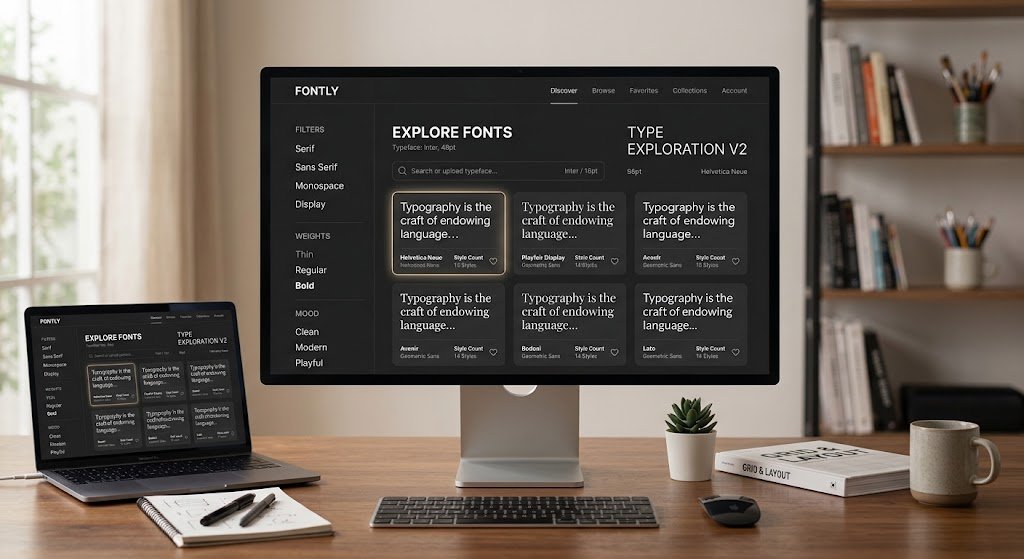
Fontlu is an online platform for finding, previewing, and organizing fonts in one place. According to the overviews published about it, the idea is to replace the usual routine of browsing several font websites, downloading files, and testing each one by hand. Instead, you search a library, type your own text, and see how it looks right away.
Good typography matters because it shapes how readers experience words. Typography is the craft of arranging type so that written language is readable and visually appealing, covering things like typefaces, point size, line spacing, and letter spacing. A tool that makes those choices easier to test can save real time, especially for people who are not trained designers.
One honest note before we go further: most of what is written about Fontlu comes from general overview articles, not from independent reviews. Details such as the exact size of the font library or the pricing are not consistently documented. We will point out where you should verify things yourself.
Key Features of Fontlu
The platform is described as offering a mix of discovery, preview, and organization tools. Here are the features mentioned most often.
Smart Font Search
Instead of scrolling through an alphabetical list, you can search by style, such as serif or sans serif, by mood, such as bold or elegant, or by purpose, such as a logo or a website. This is useful when you know the feeling you want but not the font name.
Live Text Preview
Fontlu lets you type your own words and see them in different fonts instantly. This matters more than it seems. A font that looks beautiful in a sample sentence can look awkward with your actual headline or brand name.
Filters for Weight, Readability, and Purpose
Filters help you narrow a large library quickly. You can focus on the thickness of the letters, how readable the font is at small sizes, and what kind of design it suits.
Font Pairing Suggestions
Pairing is where many beginners struggle. Fontlu is described as suggesting combinations that work well together, such as a bold display font for headings with a clean sans serif for body text.
Customization Controls
You can adjust size, spacing, and weight and see the result in the preview. That lets you judge a font in a realistic setting before you commit to it.
Collections and Cloud Access
You can save fonts into collections for different projects, and because everything is stored online, you can reach your selections from any device. Teams can reportedly share collections so everyone uses the same typography.
Usage Information
Each font is said to show how it can be used. This is one of the most important features on paper, because licensing is the part of fonts that people most often overlook.
How Fontlu Works: A Simple Workflow
Based on how the platform is described, a typical session looks like this:
- Search or filter. Start with a style, mood, or purpose that matches your project.
- Preview with your own text. Type your headline, brand name, or a paragraph and compare several fonts side by side.
- Adjust the details. Tweak size, spacing, and weight until the text feels balanced.
- Save your favorites. Put the best candidates into a collection for that project.
- Check the usage rules. Confirm the license allows your intended use, for example web, print, or commercial work.
Following these five steps in order keeps you from falling in love with a font you later cannot legally use.
Who Should Use Fontlu?
Fontlu is positioned as a tool for several groups:
- Graphic designers who want to explore ideas and stay organized across projects.
- Web developers who need to test how fonts look and read on a website.
- Bloggers and content creators who want a consistent look for thumbnails, social posts, and headers.
- Small business owners building a brand identity without hiring a full design team.
- Beginners who want a simple interface that does not require training.
If you only need one font for a single document, a font tool may be more than you need. But if you manage several projects or a growing brand, the organizing features can pay off quickly.
Benefits of Using a Font Discovery Platform
Even though specific claims about Fontlu should be verified, the general benefits of this kind of tool are clear.
It saves time. Previewing fonts with your own text removes the need to download and install dozens of files just to test them.
It improves consistency. Saved collections make it easier to use the same fonts across a website, social media, and printed material, which is a core part of brand recognition.
It supports better decisions. Seeing pairings and adjusting spacing in real time helps you judge readability before publishing.
It lowers the learning curve. People without design training can explore typography through simple filters rather than technical terms.
Limitations and What to Check First
No tool is perfect, and a balanced view is more useful than hype. These are the points to keep in mind.
- Some fonts may require payment. Free browsing does not always mean free commercial use.
- Advanced features can take time to learn. Beginners may need a few sessions to feel comfortable.
- You need an internet connection. Because the library lives online, offline work is limited.
- Information is thin. Independent reviews, detailed pricing, library size, and export formats are not clearly documented in public sources.
- Some future features are only possibilities. Ideas such as AI-powered recommendations or design-tool integrations are described as potential developments, not confirmed features.
Because of these gaps, test the platform with a small project first before you build an entire brand on it.
Practical Tips for Choosing and Pairing Fonts
Whether you use Fontlu or another tool, a few principles make your typography stronger.
- Limit yourself to two fonts. One for headings and one for body text is enough for most projects.
- Contrast, do not clash. Pair a decorative or bold heading font with a simple, highly readable body font.
- Prioritize readability. A clever font that is hard to read on mobile will lose readers.
- Keep spacing comfortable. Generous line spacing usually makes long text easier on the eyes.
- Stay consistent. Use the same combination everywhere so people begin to recognize your brand.
Is Fontlu Safe and Trustworthy?
Whenever you use a lesser-known web tool, a little caution goes a long way. Check who operates the platform, read the terms of use, and avoid entering payment details or personal data until you are confident the service is legitimate. We apply the same approach in our guide to whether QuikConsole is legit, where verifying the source comes before trusting any claim.
It also helps to cross-check what you read online. Our article on how to use FundFireInsight.com wisely explains how to spot disclaimers, gaps, and unnamed teams, and the same habits apply when you evaluate any font platform. For fonts specifically, always read the license on each typeface, since permission for personal use does not automatically cover commercial projects.
Frequently Asked Questions About Fontlu
What is Fontlu used for?
Fontlu is used to discover, preview, customize, and organize fonts. Designers, developers, bloggers, and business owners use this kind of tool to pick typography for websites, logos, social posts, and printed material.
Is Fontlu free to use?
Public descriptions suggest that some fonts may require payment, but clear pricing details are not consistently published. Check the official site for current plans and the license of each font before using it commercially.
Can beginners use Fontlu?
Yes. The platform is described as having a simple interface with search, filters, and live preview, which makes it approachable for people without design training. More advanced features may take some practice.
Does Fontlu suggest font pairings?
Overviews describe font pairing suggestions as one of its features, such as combining a bold heading font with a clean body font. Treat suggestions as a starting point and always judge the result with your own content.
Can I use Fontlu fonts for commercial projects?
That depends on the license attached to each font. Always read the usage rules shown for the specific typeface before using it in a logo, product, advertisement, or client work.
Do I need an internet connection to use Fontlu?
Yes. Since the fonts and collections are stored online, you generally need internet access to browse, preview, and manage them.
Conclusion
Fontlu is presented as a convenient way to find, test, and organize fonts without bouncing between websites and downloads. Its strongest ideas are smart search, live preview with your own text, pairing suggestions, and shared collections, all of which can make typography less intimidating and more consistent. At the same time, the public information about it is largely promotional, so details like pricing, library size, and licensing should be confirmed on the official platform before you commit.
The best approach is simple. Try Fontlu on a small project, preview your real text, check each font’s usage rules, and save your final picks in a collection. Do that, and you will make faster, safer, and better-looking design choices. If you have used Fontlu, share your experience in the comments so other readers can learn from it.